
Voice Diary Is Here: Talk About Your Day, Chunky Turns It Into a Diary
You've learned plenty of chunks — but can you actually say them when it counts? Voice Diary is the first ChunksEnglish practice where you do the talking: spend 60 seconds telling Chunky about your day in English, and get back a diary entry that shows what to fix and how a native speaker would put it.
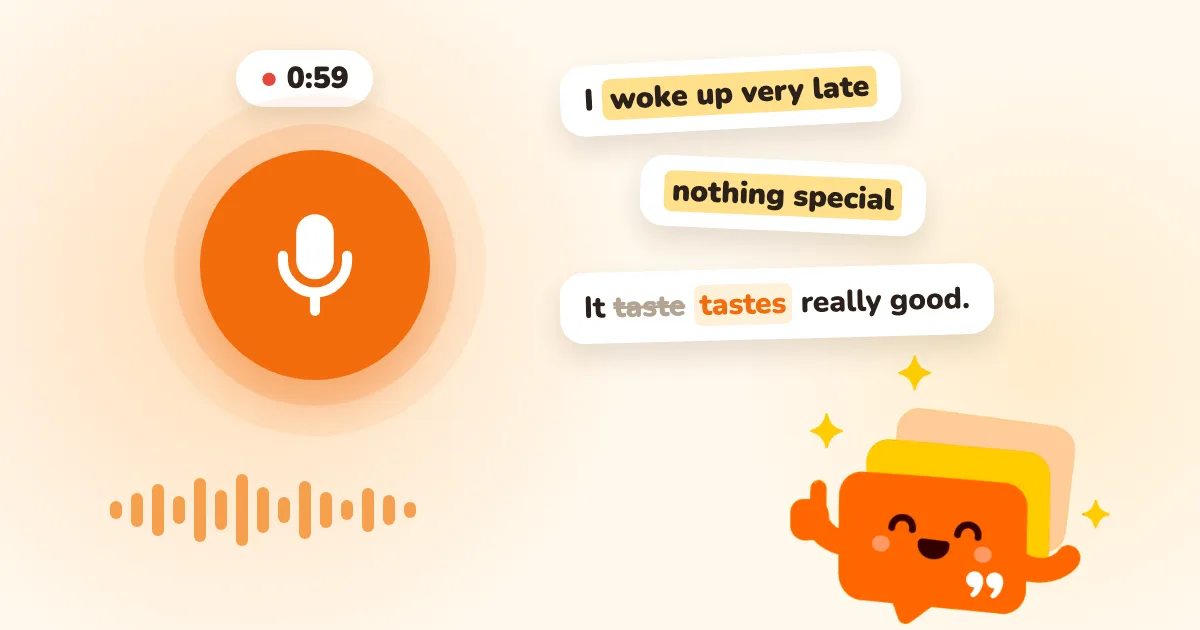
What is Voice Diary? In one line: spend 60 seconds a day telling Chunky about your day in English, and get it back as a diary entry — a transcript, a translation, the chunks you used, and a sentence-by-sentence look at what to fix and how a native speaker would say it.
Why speak, not just study?
Until now, every practice in ChunksEnglish has been some version of see it → recognize it → spell it. That makes chunks stick, but remembering a phrase isn't the same as producing it — plenty of learners know every word on the page and still freeze when it's their turn to talk.
In 1985 the linguist Merrill Swain proposed the output hypothesis: learners only notice the gap between what they want to say and what they can actually say when they have to say it themselves. Listening and reading alone don't surface that gap. Voice Diary surfaces it once a day — and shows you how to close it straight away.
How to record: just three things
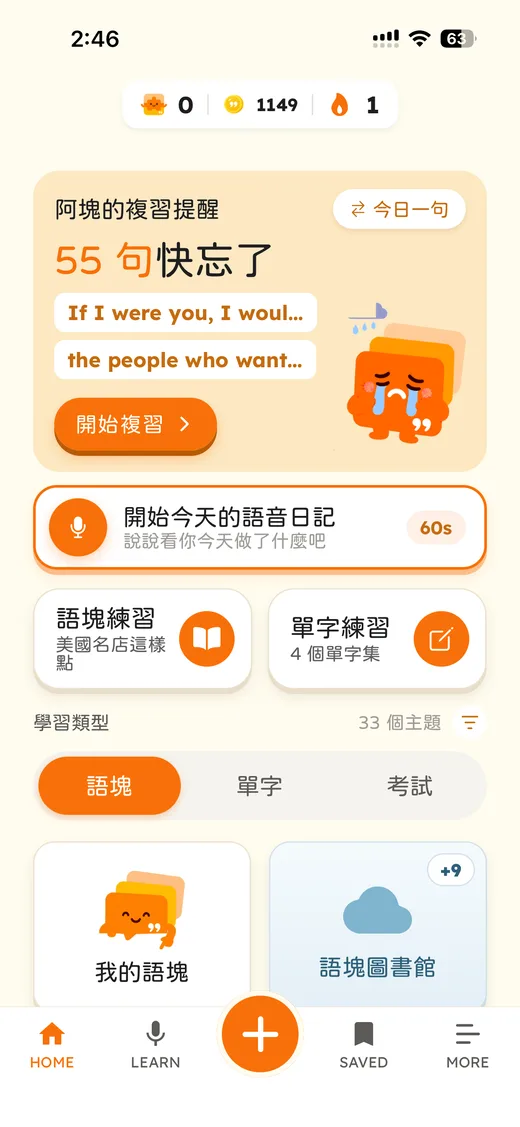
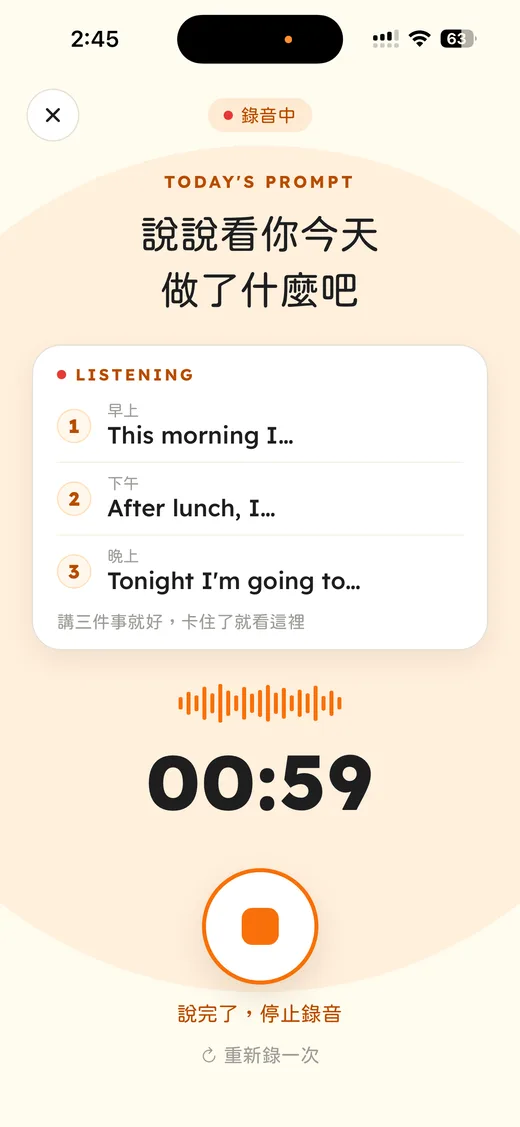
Tap Start today's voice diary on the home screen and press the microphone. Not sure what to say? The screen gives you three sentence starters — This morning I…, After lunch, I…, Tonight I'm going to… — so you can take it one part of the day at a time.
- Up to 60 seconds, at least 10. Tap I'm done, stop when you've finished.
- Pause too long and Chunky wraps it up for you, so getting stuck isn't awkward.
- One entry a day — a diary is about today. Not happy with a take? Restart before you send it.
What Chunky gives you back
Once you send your recording, Chunky transcribes it and then goes through it sentence by sentence. The result has four parts:
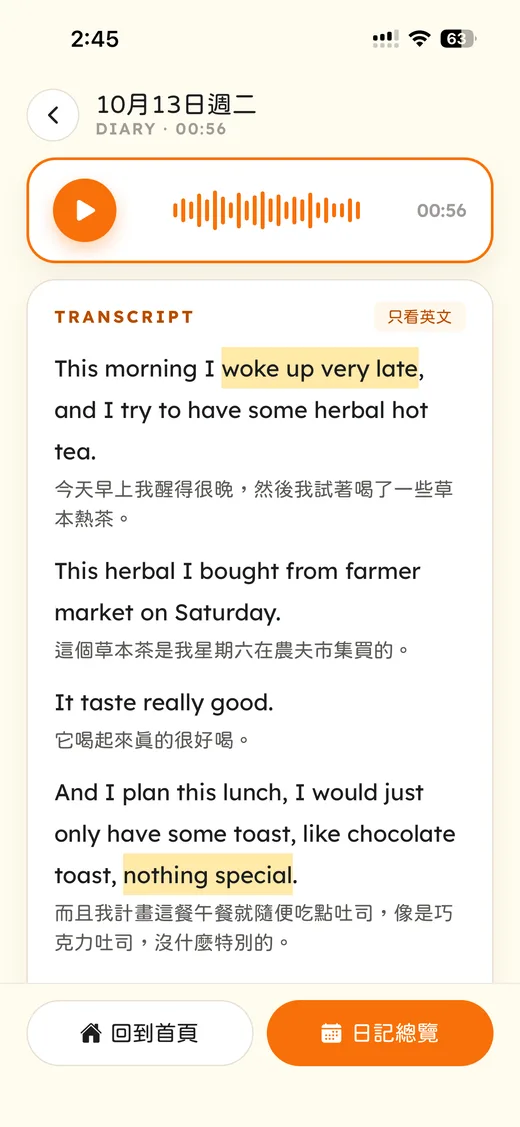
- 1Transcript and translation: every sentence you said, with a translation underneath — or switch to English only. If the transcript misheard a word, tap Edit, fix it, and Chunky will look again.
- 2Highlighted chunks: natural phrases you used are highlighted in yellow —
woke up very late,nothing special— proof you already have them. - 3This could be better: only the sentences with something to improve, one at a time, in three layers — You said, Fixed (with the reason, like past tense or a missing article), and Natural (how a native speaker would say it).
- 4Chunk list: split into You used and To learn. Tap any of them to save it.
| Layer | Looks like this |
|---|---|
| You said | It taste really good. |
| Fixed | It tastes really good. (third-person singular) |
| Natural | It was really tasty. |
Saved chunks go into Memory Curve review, so Chunky brings them back right before you'd forget — the mistake you made out loud becomes the sentence you get right next time. See how that schedule works in Memory Curve Practice.
Every entry, kept as a diary
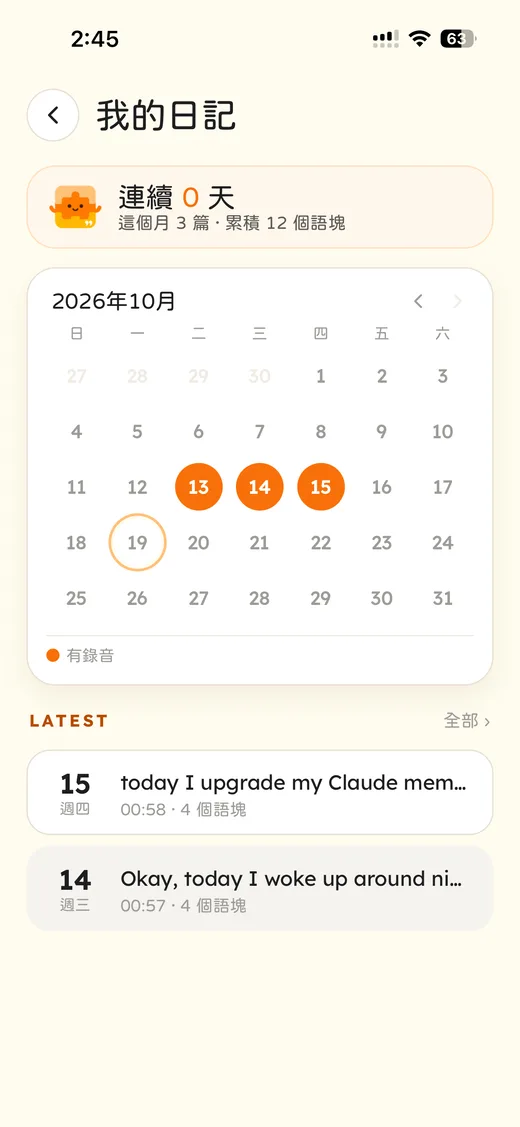
Each entry is saved automatically — there's no save button. My diary shows your diary streak, how many entries you've made this month and how many chunks you've used in total. Days with a recording are orange on the calendar; tap one to replay that day's audio and read the feedback again. Recording a diary also counts toward your app streak.
Where does your recording go?
How to start
- 1Update ChunksEnglish to the latest version.
- 2Tap Start today's voice diary on the home screen, or press + at the bottom and choose Voice Diary.
- 3Press the microphone and tell Chunky about your day in English.
FAQ
Is Voice Diary free?
Voice Diary is a Pro feature. Free users can try one full entry — transcript, translation and feedback included. With Pro you can record one entry every day.
My English isn't good enough to talk for 60 seconds. What do I do?
You only need 10 seconds to send an entry. The recording screen gives you three sentence starters for the morning, afternoon and evening, so you can just follow one. Mistakes are fine — finding them is the whole point.
How many entries can I record a day? Can I redo one?
One a day. Before sending, you can restart as many times as you like; once an entry has been processed, that's today's diary — come back tomorrow.
Can I speak in another language?
No, Voice Diary only works with English. If Chunky detects another language, it asks you to try again in English, and that attempt doesn't use up your entry for the day.
Is my recording stored?
Your recording is sent to AI to produce the transcript and feedback, and our servers don't keep it afterwards. The diary lives only on your phone, so deleting the app deletes it too; Pro members can export a backup first under Settings › Export / Import Backup.
References
- 1.Swain, M. (1985). Communicative competence: Some roles of comprehensible input and comprehensible output in its development. In S. Gass & C. Madden (Eds.), Input in Second Language Acquisition (pp. 235–253). Newbury House.
- 2.Swain, M. (1995). Three functions of output in second language learning. In G. Cook & B. Seidlhofer (Eds.), Principle and Practice in Applied Linguistics (pp. 125–144). Oxford University Press.
Update the app and record your first entry today
Voice Diary is live now, and free users can try it once.